Tuesday, August 14, 2007

Wiki-related videos

I know my posts are too long. With today's short-attention-span sound bytes they are possibly as relevant as a Jane Austen novel. WHAT, a 140-character limit in a web app, who the heck would ever use it! Bound to fail.

I write for myself, but to satisfy those wanting, or should I say NEEDING, a short post here it is.

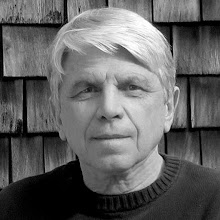
Found a nice site today of Wiki-related videos, maintained by WikiAngela, at right, the co-founder of Wikia, which "is supporting the creation and development of over 3000 wiki communities in more than 70 languages. Part of the free culture movement, Wikia content is released under a free content license and operates on the Open Source MediaWiki software."

There are all kinds of interesting links in the above URLs. We also use MediaWiki ourselves, and though we only have less than 10 wikis at this time, it's nice to know we are in such good company.

Sunday, August 12, 2007

The institutional layer cake

I was thinking a few days ago that the most rewarding part of my position, to me, is assisting students learning. They are, after all, the customers, without which we would not have a job. And our youth provide us with the hope and opportunity that someday the world will be a better place to live in. My second most rewarding activity, in general, is to assist faculty in using appropriate technology to meet teaching goals. I now saw two "layers" to my job:


Then, I must admit, I got a bit carried away. I started thinking of the other layers, or major aspects, of my job and came up with the idea of a "layer cake" of major forces that affect me. This provided a more interesting visual than a stack of bricks or a pie chart, and I cooked up a rudimentary cake after an hour in Illustrator:


Each layer is a major factor affecting my position. The "Icing on the cake" consists of all the little perks one might like: an office with a nice view, monthly ice cream socials, a convenient parking spot, etc.

While I was putting my cake together, I thought of adding a "Rating" scale next to each variable (from 0 for poor to 5 for great), as a prototype for an interactive Flash project. Then, as each slider is moved back and forth in its scale, the total average at the bottom would dynamically update. If one wanted to leave a scale out of the average, "Don't count" can be selected.

I'm not sure how useful this tool would be, for someone searching for a position in this line of work, to use to compare different job situations. One way to improve it may be to include a "weight" function for each attribute, say from 0 to 10. Then, if the referenced feature, say "Salary and Benefits," was considered very important, it would be assigned a 9 or 10, and this would be appropriately factored in the total average. Each scale descriptor could also be left blank, for use as a general evaluation tool, allowing one to enter their own major job factors.

When I created my illustration late at night, I put a wedding cake topper on top of the above cake! I thought if all the layers "tasted great" it was a prediction of a successful match between employer and employee.

In the cold reality of this morning, I took the topper off. It was just a bit too cute. But one can decorate their own cake. I'm sure a smart alek will ask if you can have your cake and eat it too. The answer is yes, for what good is a cake if you can't eat it.

Thursday, August 02, 2007

Wikimania, FLOSSE, and Cell Phones

As we start new wikis for the Fall semester in our installation of MediaWiki, I spent more time learning about the open-source software. First, I created a better support structure in case I was not around. I had many pages of printouts on how to start and customize a wiki and condensed them into a wiki page on how to start a new wiki in our own install.

I have to refine these a bit more, and have a team member use them to start a wiki. I always receive useful feedback when others follow my initial directions, which are then improved.

I still have to come up with a better way of automating daily backups. Right now, I'm using MySQL Administrator to copy the databases, but I'm not happy with the backup procedure of the apache documents folder. We also make a mirror of the entire drive each week with NetRestore, which can be restored to a spare computer in about 10 minutes.

One of our CS students is attempting to implement math equation support, but no success yet. This seems a difficult and less-than intuitive process, without clear instructions. If we do succeed, we'd like to document the steps to help anyone else. I had spent a fruitless day attempting to "make" textvc myself, and decided it was an ineffective use of my time to go any further. I had reached my level of incompetency, the student had the misfortune to stumble in my office to return a cable for a friend, and the rest is history...

I was wondering where the upcoming Wikimania was this year, and Google gave me the FLOSSE Posse link. The conference is in Taipei, a little farther for me than the one in Boston last year. I now wish I had attended it.

FLOSSE Posse is a group blog from members of Free and Open Source Software Association (VOPE), carrying out reportage of FLOSS and Open Content in Education, there is some good info on the site.

One nugget was a reference to Knowledge Building, an activity which wikis seem to support very well. To summarize Wikipedia's entry:

"Knowledge building refers to the process of creating new cognitive artifacts as a result of common goals, group discussions, and synthesis of ideas. These pursuits should advance the current understanding of individuals within a group, at a level beyond their initial level of knowledge, and should be directed towards advancing the understanding of what is known about that topic or idea.

The teacher becomes a guide rather than a director and allows students to take over a significant portion of the responsibility for their own learning including planning, execution and evaluation.

One of the hallmarks of knowledge building is a sense of we superseding the sense of I, a feeling that the group is operating collectively and not just as an assemblage of individuals."

Another eye-opening idea I found in FLOSSE Posse is that networked communication, and the Internet, may come to third world countries via cell phones, and not the computer . Over 97% of Tanzanians have access to a mobile phone, though only one in 10 houses has electricity. These cell phones are becoming agents of social change, and are narrowing the "digital divide" more so than computers. This bodes well for technology like the iPhone, which enables one to do more than possible with a standard phone, and is closer to a computer. The cost of these technologies have to dramatically drop to make them affordable in third-world countries (and even in industrialized nations!). Google is now spending hundreds of millions on it cell phone project, there seems to be a bright future in this area.


There is an on-line community and a wiki at Shareideas on the use of mobile communications for social and environmental benefits.

The last good link I will mention found at the FLOSSE Posse was to Open Educational Resources, educational materials and resources offered freely and openly for anyone to use and under some licenses re-mix, improve and redistribute.

We live in an exciting time when it comes to rapidly developing networking and collaborative technologies. It's even more rewarding to use these, and see them used, to improve the way people live, communicate, and learn.

Monday, July 02, 2007

TSI: Videoconference with Library of Congress

I think this is one TSI section that went perfectly. A couple of years ago I met Judith Graves, the Digital Project Coordinator at the Library of Congerss (LOC), at an Internet2 Spring Member Meeting. I was fascinated to learn how many resources the Library of Congress has, how many have been and are being digitized, and the variety of programs they sponsor. In addition to this, the Library of Congress also supports many Virtual Programs & Services, one of them being live videoconferences with experts at the LOC (Link in above page). Judith had given a nice presentation at the I2 meeting on both the on-line and free videoconferencing resources at the LOC, which she coordinated.

I faithfully saved Judith's card, and was waiting for the right opportunity to videoconference with the Library. The Tempel Summer Institute seemed an ideal venue. Most of the faculty had never participated in a videoconference, and it was a good opportunity to showcase new technologies, how we use Internet2, and the resources of the LOC and its experts. Our videoconferencing now runs on the Connecticut Education Network when connecting in-state, then switches to I2 when connecting out of state. Our own campus I2 subnet is also extremely efficient, thanks to the dedication of our network administrators. I don't want to jinx anything by stating all three networks, which have to work together, have been extremely reliable, and have never failed us when needed, so please forget I said it!

We have a portable videoconferencing unit in the DCC which can be moved to any classroom in Blaustein, though only three have I2 connectivity for now. However, 18 months ago we also installed a better videoconferencing system in the Dilley Room, shown below, a classroom in Shain Library. Coincidentally, the equipment was funded by a grant procured by Prof. Bridget Baird, who was also one of the participants in this year's TSI.


This is our only "professional level" facility, with two cameras and two large plasma monitors, so we decided to use it with the LOC. The room is small, but well-laid out for 16 participants sitting around three sides of a large table, with clear sight lines to both the far-end monitor and any data projection used at either end. In the above photo, the 6-foot screen displays the computer at either end, and the far end participants are viewed in the center plasma display. This 42" monitor is considerably bigger than apparent, the photo is distorted by a wide-angle lens. The left-hand wall-mounted 50" monitor is used when the teacher is at our college, and simultaneously teaching students both at our end and at the far end. In these cases, our instructor sits or stands to the left of the projection screen, facing our class. We then use the large monitor on the right to display the far end class, this is easily viewed by the instructor.

Our primary camera is mounted such that the far end can clearly see all of our 16 participants, without panning, as shown in this image. The Dilley Room was not originally designed to videoconference, and it took a lot of experimentation and effort to get equipment locations and sight lines worked out. We ended up actually mocking up working camera and monitor locations, as a few degrees and inches either way made a difference.

About 8 weeks before the videoconference (VC) date we preferred I contacted Judith by email, and filled out the on-line form requesting a videoconference. Judith was flexible enough to develop a custom program for us: a half-hour demonstration of a few of the many Library of Congress assets and services that may be relevant and useful to us, and a half-hour of Q&A with our faculty. A month before the videoconference I ran a one-hour connectivity test with the LOC's technician, Donald Blake. I always run at least one test before a videoconference. If I have never connected to the other end-point, the test is for the duration of the future videoconference. The test went without a hitch. We often leave our VC units on all the time, so I asked Donald to dial in for a short period a day or two before the conference, to check connectivity. Judith also had asked me to send some information along on the TSI faculty's interests and courses, to gear the presentation to their fields.

The videoconference itself went great. Along with Judith, Laura Gottesman (Digital Reference Specialist) and Sheridan Harvey (Women's Studies Specialist) participated from the Library of Congress. They all had taken time to research a bit of information on Connecticut College, New London, and some of the faculty's interests. This information was interwoven throughout their presentation, between general LOC facts and resources, and lent a personal note to the videoconference. The half hour of presentation and half hour of Q&A were not consecutive, but also interspersed, allowing for a more informal and friendly atmosphere. The LOC staff came across as pleasant, with good communication skills, and worked very well together.

We had a very good network connection so there was very little latency, or delay, in both of our audiovisual signals. This resulted in a more natural experience than in many videoconferences, where there are awkward slight pauses at the end of each sentence. You never know if they far end is done speaking, or if they are going to start talking again as soon as you start to say something! This leads to an experience that is not quite as transparent as "being there", which is always one of my goals in producing a videoconference.

Thanks to Judith and her colleagues, our network folks, Internet2, and the Connecticut Education Network, our videoconference with the Library of Congress was thoroughly enjoyed by our faculty, and was one of the highlights of the week.

Tuesday, June 26, 2007

TSI: Internet2

Two tasks I was assigned during TSI were a 20-minute presentation on Internet2, which we have been connected to for almost two years, and organizing a videoconference with the Library of Congress (LOC). I had prepared for my I2 overview in a section in our wiki. Every major topic in this wiki realistically needs a frequent update, however, we often can't get to it unless necessary. Then it's an opportunity to entirely review and update the page topic, cut out obsolete information and links, add new information and links, and organize the page better. We keep an eye out for the specific use at hand, but also try to develop information adequate for a general overview. With technology changing and evolving every week, a wiki is a good tool for constantly updating and reorganizing information.

There are hundreds or thousands of links available on the web for every conceivable computer and information based technology, especially for Web 2.0 and Social Software. I have decided it's better in our wiki to just briefly explain the technology, and link to a few major examples, than to try and develop a comprehensive "encyclopedia of links" or detailed descriptions. Too much information usually results in eyes glazing over, at best, and total inattention at worst. Thus, when we target a general wiki page to an academinc audience, we judiciously try to find a few best representative examples of the relevant technology, and simplify explanations as much as possible.

We do crucially need those handy "encyclopedias of links" but other folks, like openculture, do such a comprehensive and timely job, it would be foolish to try to duplicate their efforts.

For some wiki topics, we are migrating towards a "two-tiered" approach for presenting information explaining different technologies. The distilled concepts and examples at the top, and any further details, links and examples at lower levels. This has not yet evolved into a visually distinct layout. The beginnings of this might be in our TSI Internet2 wiki page, linked to from above. I wrote up new basic fundamentals, uploaded some images, and then copied and pasted information from the older page sections, now shown below the three horizontal ruled lines. The entire page is a bit of a mess now, but the portion above the three lines is fine, and ready for a presentation. I do have to go back and clean up underneath this. It just shows how a wiki is often a constant, never-ending work in progress!

It took me 3 hours to revise our I2 page, and prepare it, and myself, for the 20 minute presentation that was scheduled. Unfortunately, the session on copyright, preceding mine, ran over by 20 minutes, there was no time for my I2 presentation, and it could not be rescheduled. Luckily, I had already shown and demonstrated our 47"-LCD I2 Cart during the faculty's earlier tour of the DCC. I had shown our contantly streaming I2 outbound MPEG2 VBrick video stream. The source is a multi-caddy DVD player. I had demonstrated incoming MEPG2 video stream reception over I2, and easily connected our H.323 Polycom videoconferencing unit to a videoconferencing classroom at Trinity College. So, at least some of the practical applications of I2 were demonstrated, though we did not have a chance to go over its history and a more comprehensive overall view.

But, I'll be ready for next time!

Friday, June 22, 2007

TSI: Podcasting

We had the challenge of having faculty record, compress and create an audio podcast in about 70 minutes. Most of them had no previous audio recording experience. One thing I have realized is that, when comes to instruction time required, you can only be as fast as your "slowest student", unless you decide to leave them behind. This we don't like to do, of course. I mean "slow" in relation to production speed, not intelligence, of course.

We decided to use the Plantronics DSP500 Headsets for microphones. These work well with both Macs and PCs, and are recognized by both platforms without having to install any drivers. We have three at the library circulation desk, where students can check them out for recording real-time voiceovers in their iMovie, Final Cut Express, and GarageBand projects, one in the DCC, and nine in Marisa's Foreign Language Lab, as they work well with Wimba.

Originally I was going to use QuickTime Player Pro (QTPP) for recording, as all the computers in our teaching labs have it. QTPP can also be used to trim the audio and compress it before uploading to a podcast. Then I thought we would use QTPP just to record, and import the file in iTunes for compression, as iTunes has a great free compression engine, and can compress to mp3 or mp4. It was an opportunity to teach faculty how to use it. At the last minute, however, I decided to use Audacity for recording, editing, and compressing. Keeping production in only one program meant a simpler, faster workflow. In addition, Audacity introduces the concept of audio as a visual waveforms, and allows for much more editing power than does QTPP.

More and more individuals want to create using their own computers lately, as opposed to going to a specialized lab. Audacity has the advantage that it is free, works almost the same on Windows and Macs, and is a fairly powerful, but easy to learn, entry-level audio editor. This makes instruction and support much easier. I had used Audacity only once, months earlier. It took me about 10 hours to learn enough about the program to teach its basics, install it on 12 computers, and write up some usage directions.

In addition to installing Audacity and the LAME library as an admin, some configuration has to be performed at the local user level. I have had previous experiences with long periods of time devoted just to configure software and hardware before any work is done. Thus, I decided to pre-configure everything required for each individual user account the day before instruction. I asked the faculty to leave themselves logged into their workstations while away at lunch. This gave me enough time to connect the Plantronics headset, have the computer recognize it for the first time, and set the Control Panel Audio Preferences to use it as both the recording and playback device. I also selected the Plantronics as the recording device in the Audacity preferences, and linked the program to the LAME library. This only has to be done once for each user account. I thought we might run out of time at the end, so I preselected a compression setting of 32 kbps in Audacity. I also opened iTunes and QTPP for the first time, as there is a little extra time and effort involved with the original initialization. Having all the computers pre-configured saved a lot of time the next day during the actual teaching, everything was plug and play, and just worked!

Of course, we had accidentally logged off one computer at lunchtime the day before, and I had forgotten to configure it. So, we did have to futz a bit with one after instruction started. A small glitch, but it would have been hell if we had to configure 10 of them!

I divided the Podcasting instruction into four distinct parts: 1. Quick Tech Overview, 2. Recording and Editing, 3. Compression and Export, and 4. Uploading to the Podcast Server. I find it useful to prepare my lesson plans in our wiki. This allows me to "build it as I go" and make fast changes from any computer. It enables other people to see it and comment on it before instruction. I also project it while teaching, to help keep me on track, and allow any stragglers and confused people an opportunity to catch up.

I had previously drawn the Podcasting Workflow on a large whiteboard at the head of the classroom, and quickly went through in in about 5 minutes.

All in all, the rest of the instruction went pretty smoothly. However, I again suffered a bit in my time management, and did not have time to explain how to amplify a weak waveform. This was not in the instructions, but, while teaching, I realized I should mention it. It was not a major omission, though, as we had already gone over how to record a "healthy" waveform.

At 11:55 am, with 5 minutes to go, everyone had an mp3 sitting in their computer. I had previoulsy prepared an empty podcast for every faculty member on our Podcast Server. I had already developed instructions on uploading for a student trip to Brazil. This final portion of the class went nice and smooth, and by 12:05 everyone was listening to their podcast in iTunes. Success!

Tech note: While we used Audacity to compress to mp3 for instruction, our usual workflow up to now has been to compress to mp4 with iTunes. This takes a bit longer and involves more steps. Audacity can only compress to mp3. We will reassess our compression recommendations, but mp3 and mp4 files can coexist fine in the same podcast. We will still continue to use other audio editing programs, such as Pro Tools LE, GarageBand, and Soundtrack Pro, when more powerful features are needed.

Wednesday, June 20, 2007

TSI: iPods

The iPod class was an optional afternoon class, and 4 faculty signed up. This was promoted as a beginner's class. Some faculty already had iPods, and justifiably did not attend. I wanted complete kits for all 4 participants, but only had two, so I borrowed from my team members and from our "new pool". To the left, below, is our complete "iPod Kit".


It includes: 30 GB iPod, iPod case, iPod-to-USB cable, earbuds, AC adapter, Belkin TuneTalk mic, Belkin mic-to-USB cable, written list of kit contents (to help ensure everything is returned), and printed instructions from our wiki, on Recording Voice Memos and Audio

I had prepared the one-hour program beforehand and outlined it in our team wiki. This was displayed on the classroom's LCD projector, alternating between it and iTunes, when appropriate. I had distributed a set of full headphones with each iPod Kit, I prefer them to earbuds for the purpose of instruction. Each faculty member had an iPod Kit, the headphones, and a computer with the latest copy of iTunes.

Unfortunately, my time management again suffered a bit. I had alloted an hour for instruction, and we had to leave the classroom for another use after the hour. I had placed an audio CD at each computer, and wanted to put the faculty through the process of importing a track in iTunes, and then moving it to their iPod. We ran out of time for this, so I just spoke about how it is done. We did have time to record a voice memo with the Belkin mic, and move it from the iPod to iTunes, which is probably more important.

I also did not have time to explain the differences between Mac and PC formatting, how to use the iPod hard drive as a storage device (though this is fairly self-explanatory), and explain a bit better what I consider to be the "heart" of iTunes, its compression engine controlled in the Preferences.

However, the faculty felt the class was very useful. None had any experience with iPods before, we covered most of the important features and procedures, and 95% of the program. The podcasting aspects were to be covered at a later class, attended by all faculty, so they were not addressed.

EQUIPMENT NOTES

We had previously tested three iPod mics: the Belkin, the MicroMemo, and the Griffin iTalk, and found the Belkin to provide the best quality. This was determined not only by listening tests, but also by comparing the recorded audio waveforms. The Belkin recorded at a slightly higher volume than the MicroMemo, this is important as often the speaker is further from the mic than the optimal 1-3 feet. The Griffin recorded at the same sensitivity as the Belkin, but had a higher internal noise level, see below (click to enlarge).


These tests were conducted when each model first came out. They probably need to be conducted again, as manufacturers often tweak their products over time. Any of the three models will provide adequate quality for plain voice recording if you are a few feet from the mic.

The Belkin has a useful additional feature: a built-in USB port and included USB cable. This can provide power to the mic and iPod, to extend the recording time beyone the usual 3 hours or so, and can be connected to either a computer or AC adapter. This cable can also be used to synchronize the iPod to a computer.

I found some nice plastic boxes at AC Moore, seen in the first image. You get two, a larger one and a smaller one, for $2.99. The larger one is just the right size for our iPod Kit, and the smaller one is a good size for our Samson AL1/AM1 Wireless Mic Kit. This is shown at the right in the above image. The wireless receiver connects to the Belkin Tune-Talk, which is connected to the iPod, and the mic/transmitter can be clipped to the speaker. Then, no matter where in the room the speaker is, a good signal is recorded to the iPod.

We usually set up the levels in the wireless transmiter/receiver beforehand for faculty, with a small included plastic screwdriver. We do need to write up and include some simple usage instructions in our kits.

Often faculty come in and ask for a portable speaker to use with their iPods, to play back audio selections to their class. We were very happy with the JBL On Stage, which has a nifty remote that controls the iPod as an optional accessory. However, the JBL needs to be plugged into an AC outlet, and we wanted a truly portable but inexpensive system. After much research, we settled on the $100 Altec Lansing inMotion, shown below. It is battery powered, and comes with all the different iPod adapters, but we usually just stick our iPods in it without one. The volume is only moderately loud, but is adequate for a class of 30 or 40 students. I don't think any of the small portable systems provide actual "hi-fi" quality, but they are fine for non-critical audio and music sharing.


There must be 70 different protective cases available for the iPod, we like the Marware and Body Glove products in the $20-30 range, but there are other good manufacturers. These models are changing all the time. For those on a tight budget, there are several $10 "soft sleeve" products available.

Tuesday, June 19, 2007

TSI: Blogs and Wikis

In the past, we were able to get through both the wiki and blogging instructions in one hour for each, which is what we scheduled for this workshop. This assumes no experience with either technology on the part of faculty attendees, which has proven to be a common situation so far.

For blogging, we decided to use Blogger. We have not used blogging much at Connecticut College for direct course support, and have not finalized a "priority features" list. I think this is best developed through actual experience, which we will soon have. We have studied and evaluated major features of the more popular blogging tools, and have anticipated some potential requirements. But you can never be certain what features are needed, and important, until you get into real-life situations. We will be conducting a more thorough evalutation of major blogging solutions this summer.

In our opinion, Blogger was a good tool to start with. It is very reliable, and has low maintenance and instruction overhead. Blogger blogs can be archived to the desktop, as they are just web pages, and then uploaded to a local web server to indefinitely preserve someone's work. Jean-Claude Bradley has successfully used Blogger for a long time for course support. Thus, while there are other good blogging tools available, we felt comfortable starting with this one. Blogger is also constantly adding new features, they are now testing direct video uploads in Blogger in draft. You automatically get the advantages of these without having to upgrade local servers.

The past two times we taught Blogger, the first 10 minutes were wasted waiting for everyone to log in for their first time. So, for "homework" we asked participants to create a Google account the day before the blogging class, if they did not have one or a Gmail account. This was a big help in moving things along. The previous times we taught Blogger, an hour was enough to cover the basics of starting a blog, creating one Post, and uploading an image to the sidebar and to a post.

However, the one hour was accomplished without any "sidebars" and with a minimum of answering questions. This time around, we decided to allow for these, and one hour was not enough. There were many justifiable concerns in controlling reading, posting and commenting permissions. We still have to study all the available options for this in Blogger. An hour and a half is a more reasonable expectation of the time needed to cover Blogger, especially if uploading of images and basic Templates instruction is included. Our overall schedule allowed for some flexibility, and we were able to shuffle it to allow for this.

Shortly before the end of my Blogger instruction, the demo computer froze up, as I probably had too many web pages (both in IE and Firefox) and applications open. I'm usually very careful to either reboot or log in and out before teaching, but this time I forgot! Prof. Stephen Loomis came in for 10 minutes, and gave some good examples of how to use blogs while I recovered the computer. In the meantime our team was also in process of changing our teaching schedule WHILE I was teaching, as I was obviously running into the time allotted for wiki instruction.

So I felt a bit disorganized at the end, and was unable to provide a nice and neat conclusion. There was now an empty 25 minute period after my presentation and before lunch (not enough time for wiki instruction!), and Marisa gratefully (and gracefully) jumped in and gave a polished presentation on Wimba, which was to be given later. Things looked like a bit of a mess from backstage, probably only to me, and later the experience reminded me of a non-sexual IT version of Noises Off, which I had seen and laughed at years earlier. However, my team ad-libbed with talent and gusto, and I understand the faculty thought the morning went pretty well!

That night, I wrote up a "Blogging Wrap-up" in WIKI 2, our dedicated instruction wiki, which is customized to the instruction task at hand. Some of the faculty had asked where and how to find blogs, so we created a few links and hints. In my experience, it's best not to initially provide too much information when teaching technology, it's just overwhelming to average faculty. One or two, or just a few, good examples are all that are usually needed. We always stress to please contact us for more information and support. I spent a few minutes the next day going over the wrap-up, and felt much better after that!


We decided to use MediaWiki as our course support wiki software for the coming school year. Here again, there are other wiki packages, literally hundreds of them now! But we already have 5 or 6 wikis in MediaWiki, and believe it adequate for the anticipated tasks.

I think our main concerns are MediaWiki's ability to authenticate against our LDAP, which we have not yet implemented, its scalabiliy (how well will it support hundreds of wikis?), and ability to set granular permissions. That is, to have different read/write privileges for each page if necessary. Inter-wiki linking would be a useful feature to have. There also is no easy GUI admin functionality, as in a commercial package like Confluence. So, while using MediaWiki, we will be evaluating other wiki solutions in the coming year.

For wiki instruction, we created an account for each faculty member and teaching staff, and a link to their empty page, in WIKI2. This allowed everyone to go to a different page, with edit privileges, for the purpose of instruction. This consisted of stepping faculty through the wikitalk examples in "Wiki Help" in the sidebar, leaving out Commenting, Messaging, and Table of Contents. We had faculty upload an image that we pre-installed on their computer, and had them embed it in a wiki page.

The wiki instruction took about an hour and a half. We spent some time teaching faculty how to change the font color using tags. Not everyone got this, and in the future I think it's better to leave any html out of instruction. The purpose of the wiki is to make it easy for anyone, novice or experienced, to author and edit web pages, not to provide the ultimate control you get with html and css. We had kept wikitalk simple in the past, and will probably return to this approach.

Aside from that, the wiki instruction went pretty smooth. One of the faculty had asked for a Glossary of Web 2.0 and Social Software acronyms and definitions. We though this would be a good wiki excercise they could work on themselves. We started a Glossary page, but did not have the time to develop it as an instruction tool for faculty, and ended up starting to fill it out ourselves.

Several faculty asked for wikis for future courses, and we will be able to copy and paste any information already entered in WIKI2 to their new wiki. Our lesson learned was not to try to cover an overview of Web 2.0 and Social Software, Blogging instruction, and Wiki instruction, all in the same morning, if you also want to allow time for questions and discussions.

Friday, June 15, 2007

TSI: Web 2.0 and Social Software

Following are a few more details on teaching new technologies during the Tempel Summer Institute, described in an earlier post. After developing our teaching schedule, we revamped our wiki dedicated to hands-on instruction, WIKI 2 in preparation for the course.

We decided to first give faculty a brief half-hour overview of the concepts of Web 2.0 and Social Software, with examples of major categories in each area. A section on the WIKI2 main page was prepared for this. A picture is worth a thousand words, and I love the illustrations in Dion Hinchcliffe's Blog, so we used the following:


The image provides a nice overall view of the major revolution of web content to user-created and user-managed information. Our presentation covered general categories and was not limited to educational areas, but we also did not want to overwhelm faculty with too may concepts and examples. On the first pedagogy instruction day, Diane had already demonstrated a couple of examples of wikis and blogs, so after going over the implications of the above illustration, Prof. Steve Loomis showed his Facebook page, a good example of Social Software, and how he uses it in his relationships to students.

We then quickly went through examples we had already listed in WIKI2: Another Social Software (Twitter), Video Sharing (YouTube), Image Sharing (Flickr), Mashups (Flickvision), and Presentation Sharing (Slideshare). One of Bryan Alexander's Presentations is a good example of the difficulty of separating the concepts of Web 2.0 and Social Software. The presentation itself, converted from PowerPoint and able to play full-screen, is based on Web 2.0 coding technologies. But the comments below, "Digg this", "Subscribe to user", Tags, and Embed Code are all at the Social Software end of the spectrum. Thus it is really impossible to separate the two concepts. This can be difficult to accept for people that need exact definitions.

Unfortunately, by the time we reached On-Line Office Suites we ran out of time, so we did not demonstrate these. We expected to cover Podcasting and RSS later in the week, but were unable to cover the "OPTIONAL" topics: Tagging/Social Bookmarking (del.icio.us), 3D Virtual Worlds (Second Life), User-Driven News (Digg), and Custom Home Pages (iGoogle).

Based on the above experience, I think a minimum of 60 minutes is needed for a brief but fairly complete overview of major Web 2.0 and Social Software categories. To individuals that have not been exposed to all of these, it could be an overwhelming, but also mind-expanding, experience.

Geotagging was added in the wiki later, when someone wanted to know if Flickrvision indicated where the pictures are taken. It only indicates where they are uploaded from, whereas geotagging indicates the images' actual locations. Unfortunately, I never had a chance to explain geotagging, due to the massive amount of information we were dealing with, and time constraints.

After the above presentation, we jumped right into blogging, which will be covered in a future post.

Thursday, June 14, 2007

Tempel Summer Institute 2007

We recently completed our eighth annual TSI workshop for 10 faculty, conducted over a period of 7 full days. The title of the hands-on workshop was "New Ideas for Designing a Course that Incorporates Technology to Enhance Student Learning". Five members of our Instructional Technology Team provided instruction (Chris, Diane, Mark, Marisa, Janet and myself), with two other members of our team (Don and Newell) providing hardware and software tech support. Members of the library's Research Support Team also spoke on reference assistance, information literacy, and copyright issues (always a favorite topic!)

We conducted the workshop in a large computer lab, with dual projection, both from a Mac and a PC. Each faculty member had a computer to use, this year we had 7 PCs and 3 Macs, in the past few years it's been about 50/50.

Two faculty experts on pedagogy, Stephen Loomis and Eugene Gallagher, started off the workshop with a day mostly devoted to pedagogical concepts and course design. Chris and Diane also gave faculty an overview of ConnCourse (our name for WebCT) and the technologies we would be using in the course. I attended the first day to learn more about pedagogy, and to be available to answer technical questions.

I have to admit I'm mentally exhausted by the end of the school year, so I was not looking forward to working twelve days in a row without a day off. But right after commencement is the best time to get faculty before they leave for the summer. The timing also allows us a full summer of catching up on old work, starting new projects, office cleanups, and vacations, without a major interruption. So we march when we have to, and I managed to find the resources, day by day, to perform what I hope was a good job.

One thing I realized, by the end of the institute, is how competent our faculty are in the areas of teaching and pedagogy. Running a technology lab with scanners, audio and video editing equipment, and lots of technology, I often see faculty in a state inexperienced in these matters. Not seeing these individuals in their teaching environments, it's an unfortunate human tendency to generalize any lack of knowledge or understanding of technology to other areas. This workshop gave me a good opportunity to see faculty in their own natural teaching/learning worlds, and gave me a better understanding and appreciation of their skills.

One of the main purposes of the institue is to increase faculty's understanding and appropriate use of technology. So, over a period of time, their overall experience level in these areas has been increasing, as by now over 80 faculty have gone through the institute. And, of course, some of them are ahead of us in some areas of specialized technology.

This year, for the first time, we introduced podcasting, wikis, blogs, iPods videoconferencing, and the concepts of Web 2.0 and Social Software. I'll write a few posts on my involvement with these, although many other topics were covered. Considerable more preparation was required for this year's Institute, due to the introduction of these new technologies, all in the same week. Looking back on it all, it was well worth it.

Here is a LINK to the nice brochure Janet Hayes made for the Institute (880k).